맨날 헷갈리는 이것. 오늘은 뽑아버리겠다.
Frame
Super view의 좌표계를 기준으로 했을 때 본인의 좌표계를 말한다.
우리가 위치를 표시하기 위해서는 기준 좌표계가 있어야 한다. iPhone의 경우 좌상단에서 시작하여 x축은 오른쪽, y축은 아래로 가는 기본 좌표계를 갖는다.
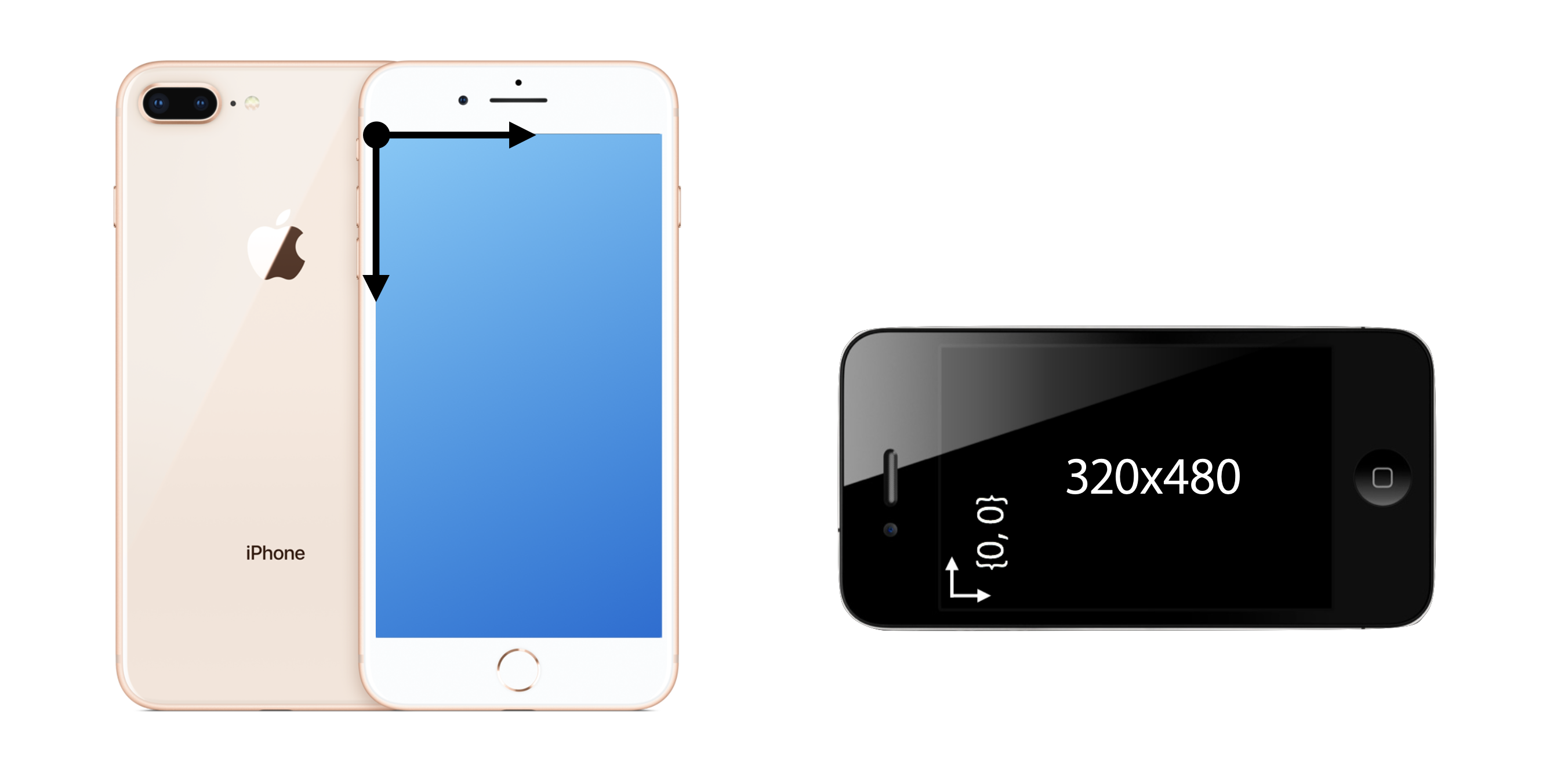
이 근본 좌표계 위에서 우리는 요소들을 놓아야 하는데, 이 때 가장 기본이 되는 것이 frame이다. apple은 특정 요소를 우리가 만들 때, 해당 요소를 놓을 기준을 나의 부모로 잡았다. 즉, 나의 부모에 비해서 나의 위치가 어딘가?로 설정하는 것. 그리고 이 생각에 가장 맞는 요소가 frame이다.
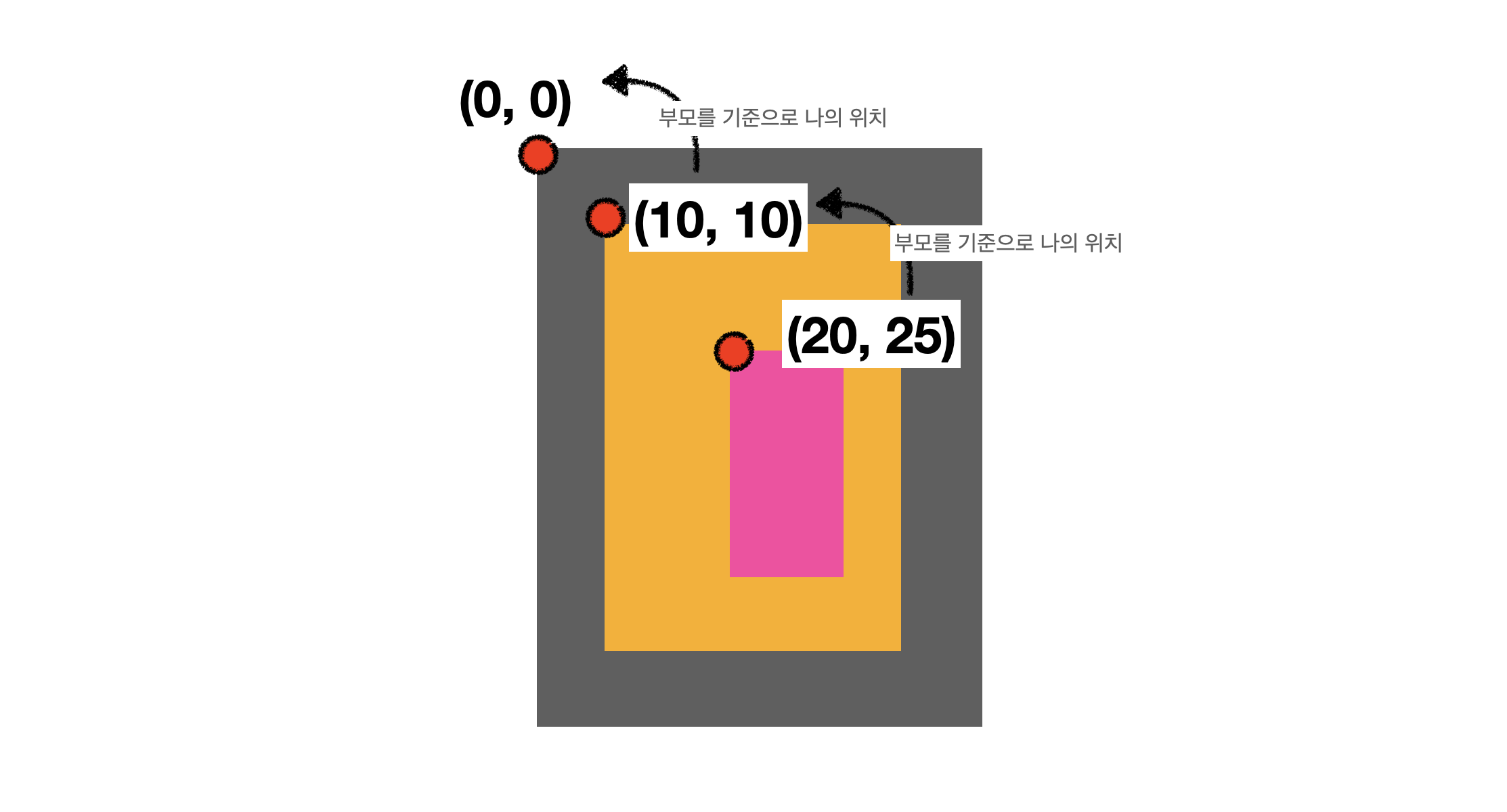
이렇게 내가 놓고 싶은 요소의 위치를 파악할 때, 항상 부모 View에 Subview로 넣어주는 동작을 수행할 것이기 때문에, 이러한 사고는 사실 자연스럽다.
let parentView = UIView()
let childView = UIView()

parentView.addSubview(childView)
childView.frame = CGRect(x: 10, y: 10, width: 20, height: 40) // 부모뷰 기준으로 위치 선정
Rotate
회전의 경우에는 어떨지 궁금하여 돌려보았다.
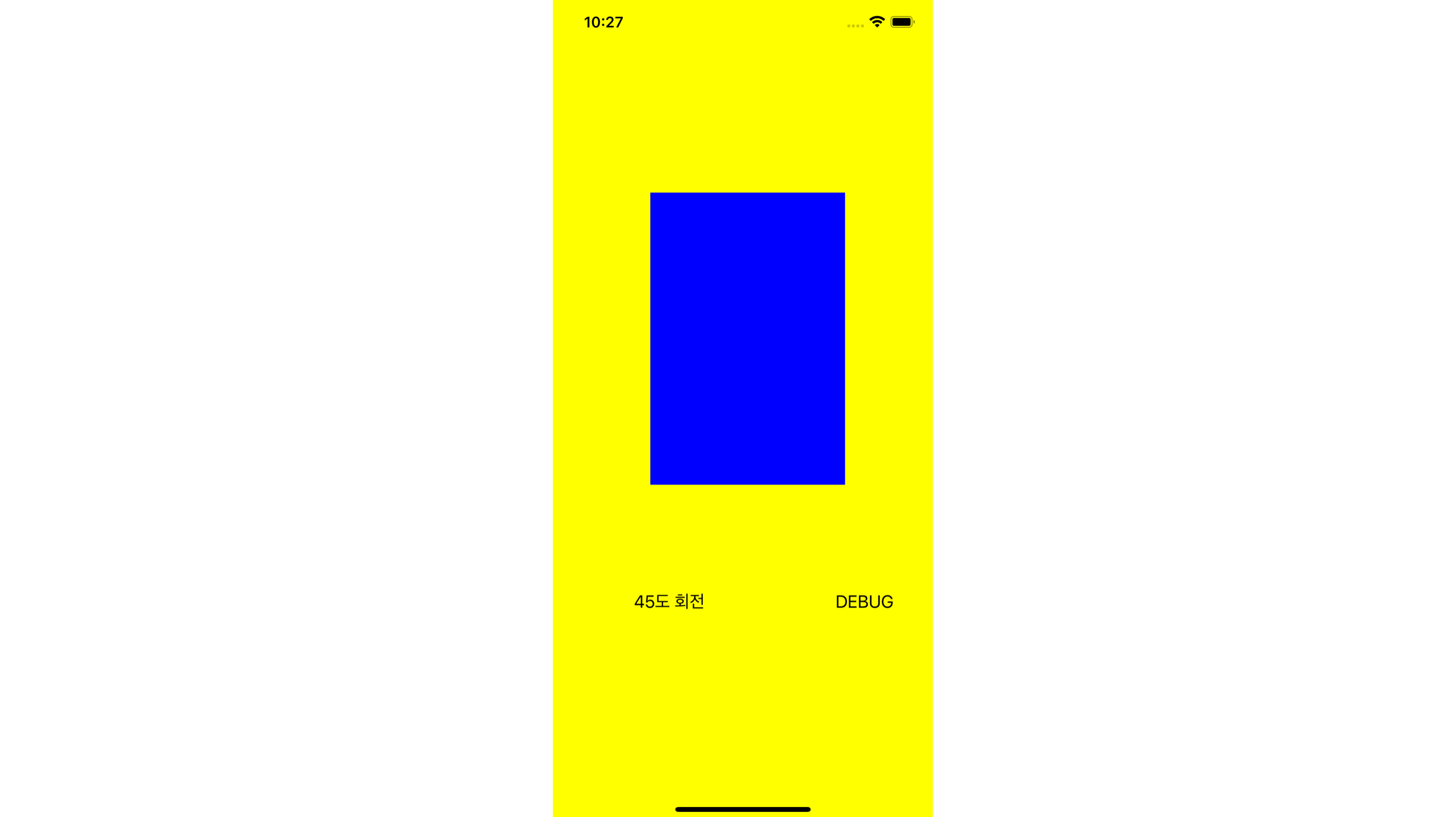
----------
ViewA frame: (0.0, 0.0, 390.0, 844.0)
ViewA bounds: (0.0, 0.0, 390.0, 844.0)
ViewB frame: (100.0, 200.0, 200.0, 300.0)
ViewB bounds: (0.0, 0.0, 200.0, 300.0)
----------
여기까지는 방금 이해한 내용과 같다.
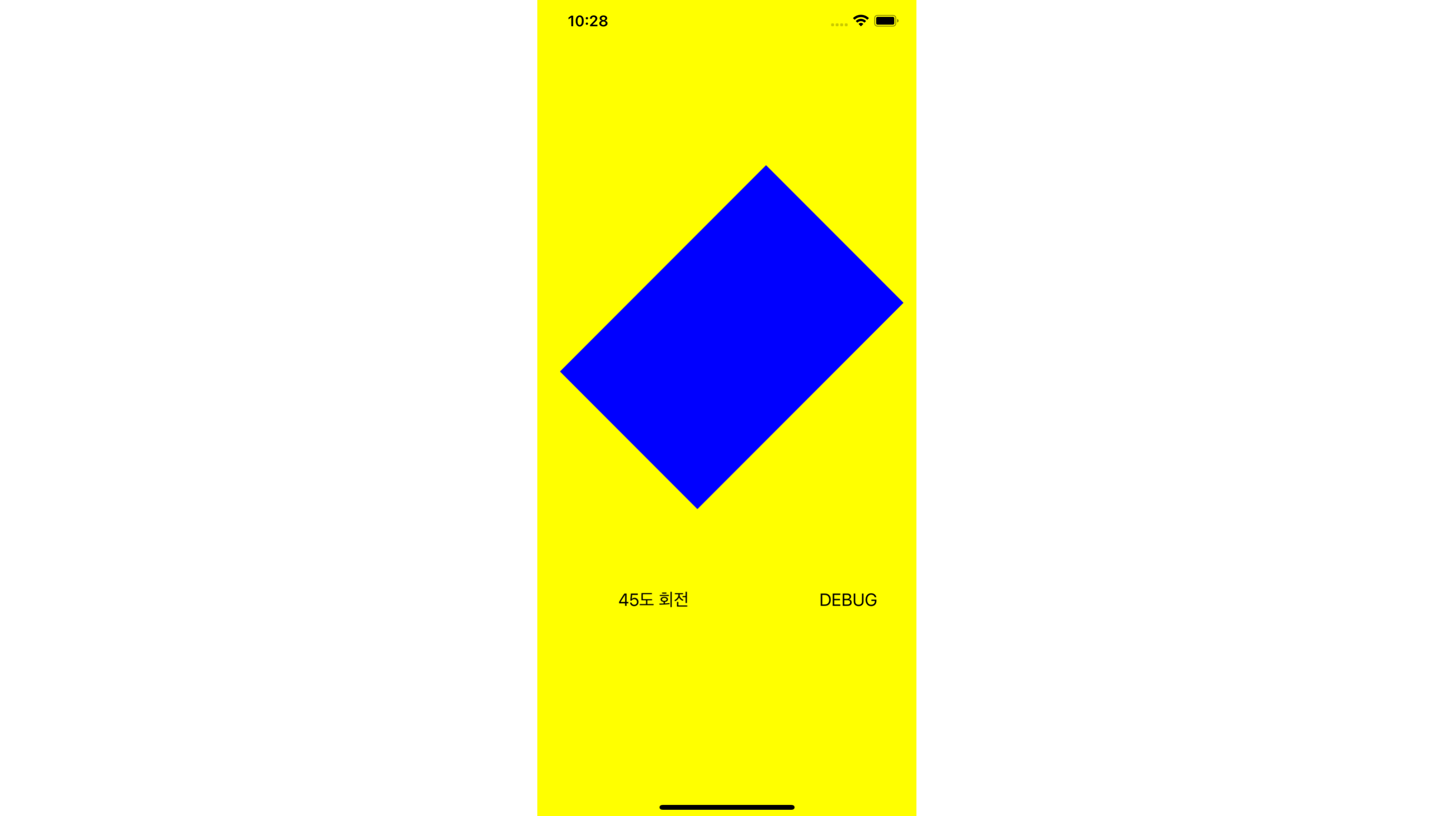
----------
ViewA frame: (0.0, 0.0, 390.0, 844.0)
ViewA bounds: (0.0, 0.0, 390.0, 844.0)
ViewB frame: (23.22330470336314, 173.2233047033631, 353.5533905932738, 353.55339059327383)
ViewB bounds: (0.0, 0.0, 200.0, 300.0)
----------
회전하게 되니 viewB의 frame이 변경되었다. 이는 변경되었을 때 사각형을 모두 포함하면서 최소인 사각형을 의미하는 것이 frame이라는 것을 알 수 있다.
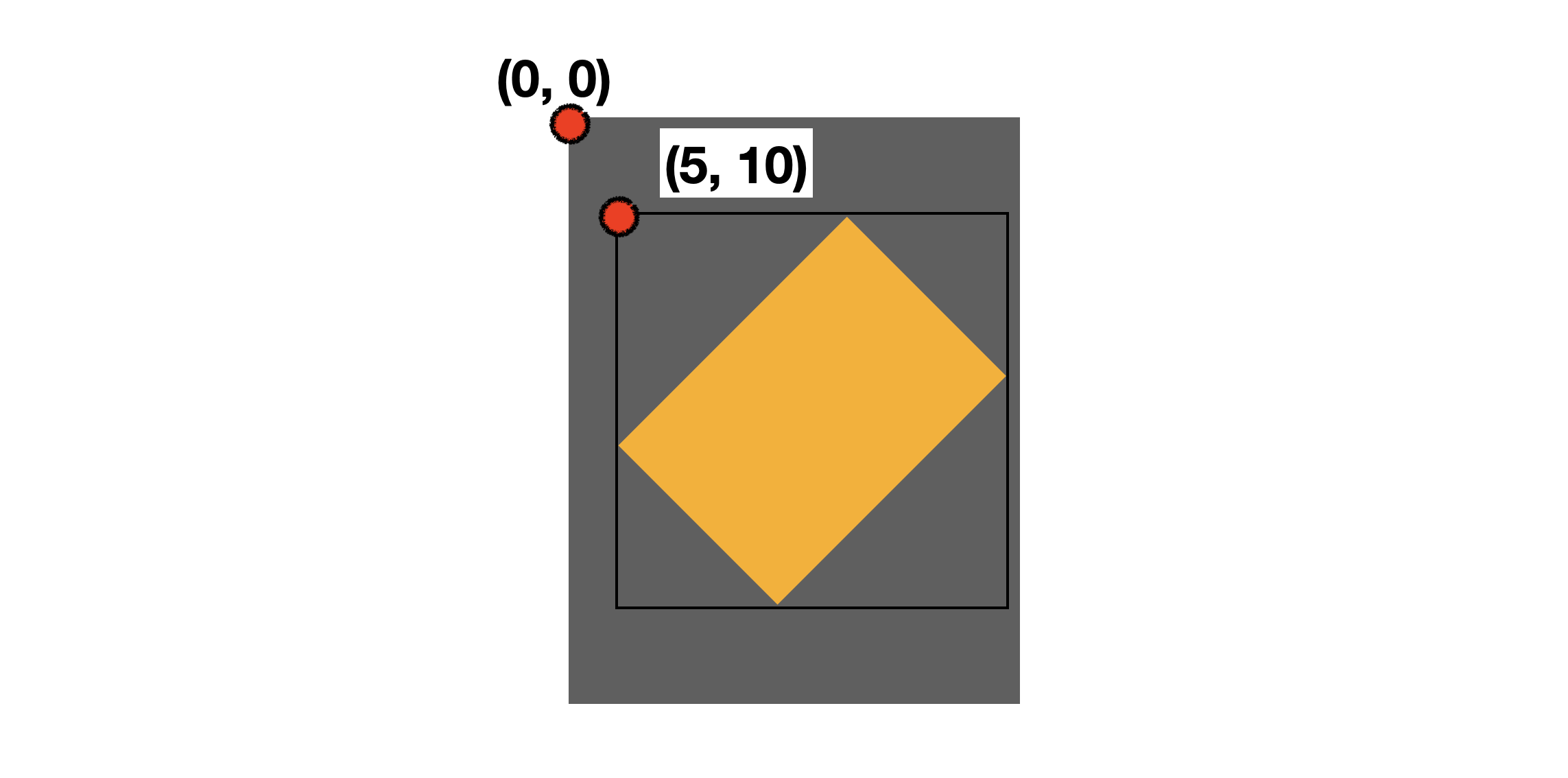
이런식으로 감싼 사각형이 frame이다.
Bounds
자신만의 고유한 좌표계
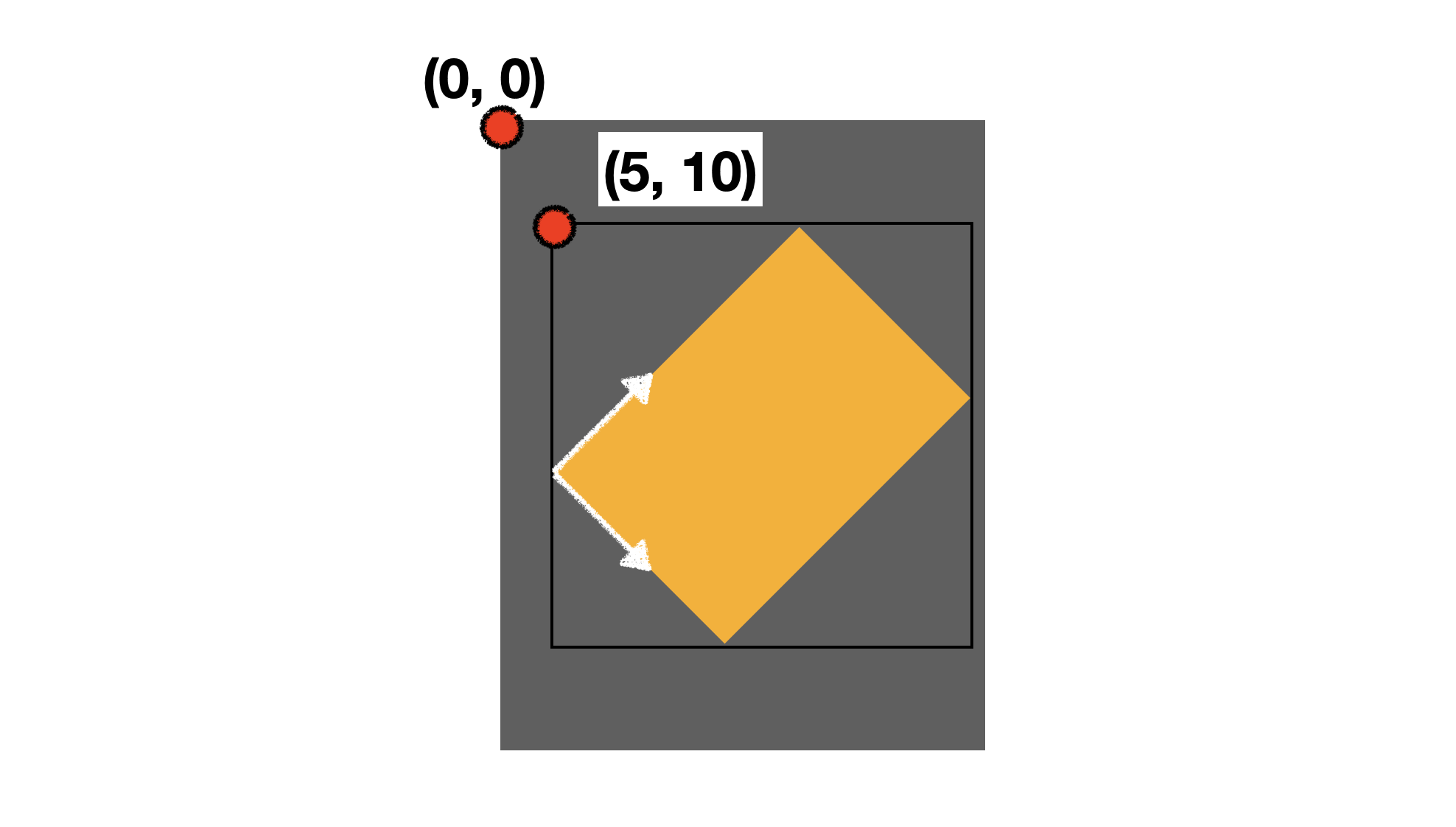
그렇다면 저 실제 사각형에 관련된 값을 얻을 수는 없을까? 그것이 bounds이다. 설명을 보면 자신만의 고유한 좌표계를 나타내기 때문에, 현재 회전된 상황에서 bounds의 좌표계를 그려보면 아래와 같다.
----------
ViewA frame: (0.0, 0.0, 390.0, 844.0)
ViewA bounds: (0.0, 0.0, 390.0, 844.0)
ViewB frame: (23.22330470336314, 173.2233047033631, 353.5533905932738, 353.55339059327383)
ViewB bounds: (0.0, 0.0, 200.0, 300.0)
----------
실제로 회전된 시뮬레이터에서 값을 찍어보면, 회전됐음에도 불구하고 ViewB의 Bounds는 동일한 것을 알 수 있다.
Bounds를 바꿔보자
viewA(노랑)에 subview로 viewB(파랑)가 들어가 있는 상황에서 viewA의 bounds를 바꿔보겠다.
self.viewA.bounds.origin = CGPoint(x: 100, y: 200)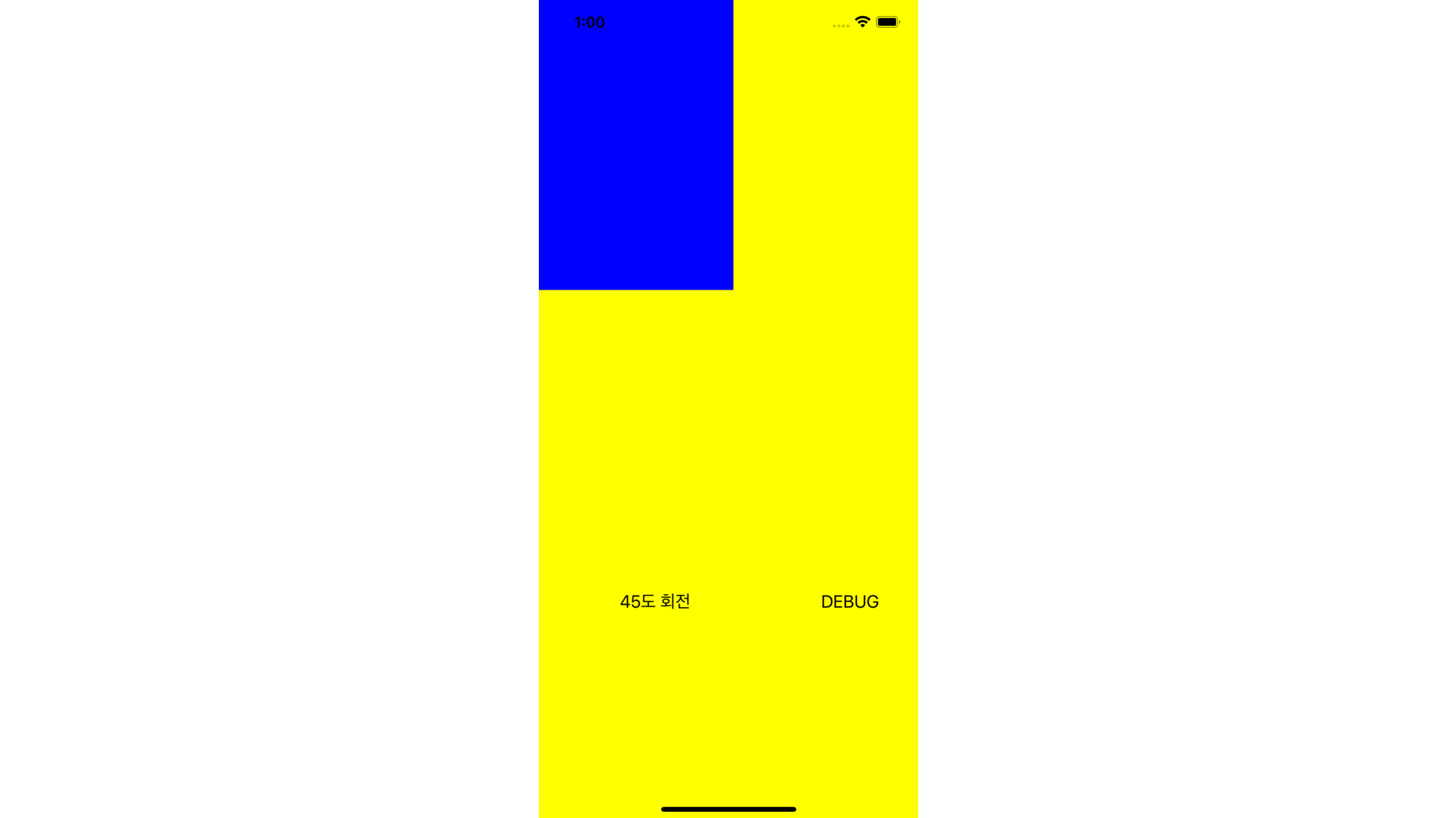
왜 파란색 뷰가 위로 올라갔을까? 우하단으로 가야되는 것 아닌가? 라고 생각한 사람이 있다면 잘왔다. bounds의 이동은 좌표계의 이동이다.
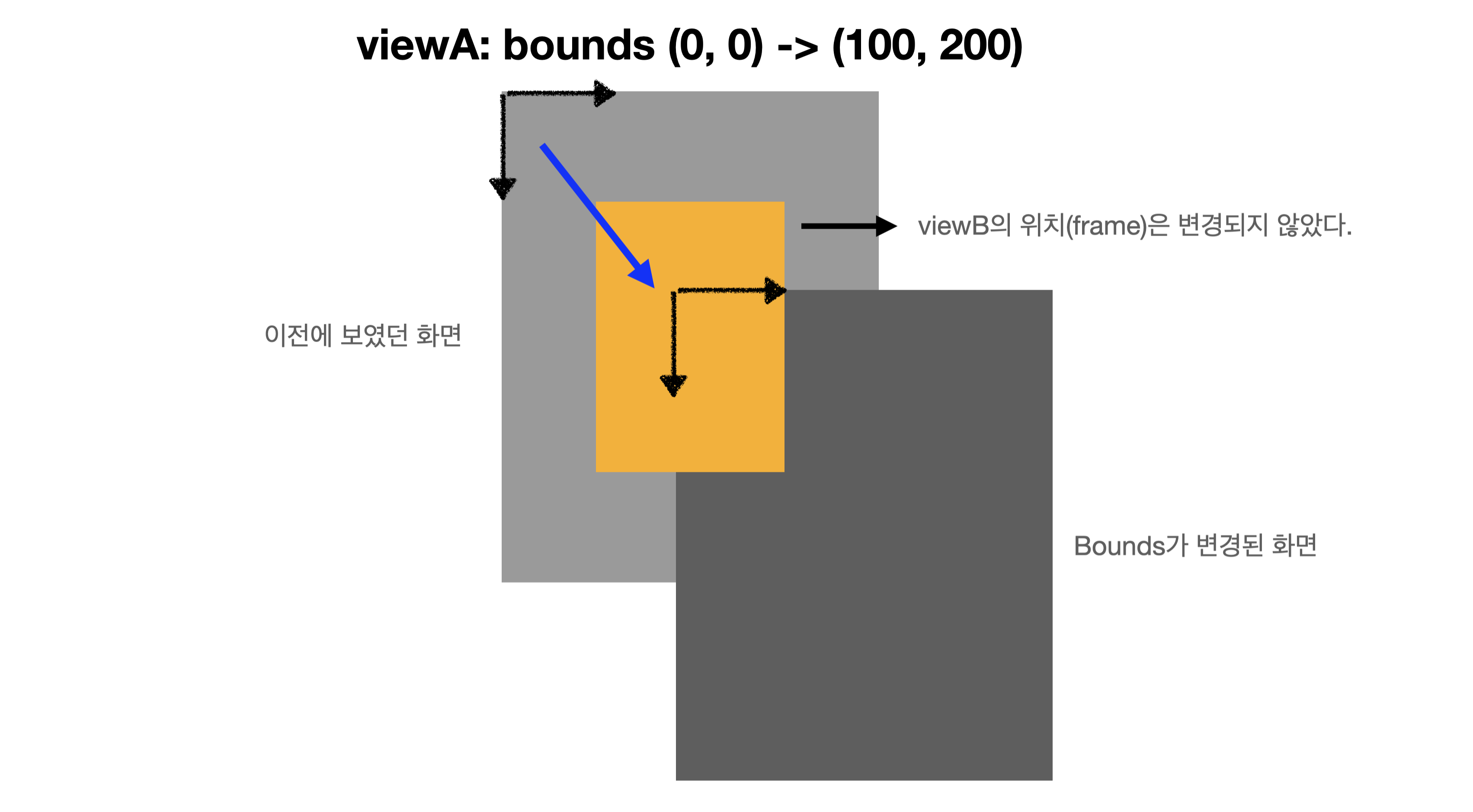
좌표계가 (100, 200) 움직이고, 실제 보이는 화면은 이 움직인 좌표계를 기반으로 해서 보여진다. 그렇기 때문에 가만히 있는 viewB가 우리 눈에는 좌상단으로 간것 처럼 보이는 것이다!!
Whole Code
import UIKit

class FrameBoundsViewController: UIViewController {

    let viewA: UIView = {
        let view = UIView()
        view.backgroundColor = .yellow
        return view
    }()

    let viewB: UIView = {
        let view = UIView()
        view.backgroundColor = .blue
        return view
    }()

    let rotateButton: UIButton = {
        let button = UIButton()
        button.setTitle("45도 회전", for: .normal)
        button.setTitleColor(UIColor.black, for: .normal)
        return button
    }()

    let debugButton: UIButton = {
        let button = UIButton()
        button.setTitle("DEBUG", for: .normal)
        button.setTitleColor(UIColor.black, for: .normal)
        return button
    }()

    let boundsButton: UIButton = {
        let button = UIButton()
        button.setTitle("ViewA Bounds +10, +10", for: .normal)
        button.setTitleColor(UIColor.black, for: .normal)
        return button
    }()

    override func viewDidLoad() {
        super.viewDidLoad()

        self.viewA.frame = CGRect(origin: .zero, size: self.view.frame.size)
        self.viewB.frame = CGRect(origin: CGPoint(x: 100, y: 200), size: CGSize(width: 200, height: 300))
        self.rotateButton.frame = CGRect(x: 20, y: 600, width: 200, height: 40)
        self.debugButton.frame = CGRect(x: 220, y: 600, width: 200, height: 40)
        self.boundsButton.frame = CGRect(x: 20, y: 700, width: 400, height: 40)

        self.view.addSubview(self.viewA)
        self.view.addSubview(self.rotateButton)
        self.view.addSubview(self.debugButton)
        self.viewA.addSubview(self.viewB)

        self.rotateButton.addTarget(self, action: #selector(self.rotateRectangle), for: .touchUpInside)
        self.debugButton.addTarget(self, action: #selector(self.debug), for: .touchUpInside)

        self.viewA.bounds.origin = CGPoint(x: 100, y: 200)
    }

    @objc func rotateRectangle() {
        UIView.animate(withDuration: 1) {
            self.viewB.transform = CGAffineTransform(rotationAngle: .pi/4)
        }
    }

    @objc func debug() {
        print("----------")
        print("ViewA frame: \(self.viewA.frame)")
        print("ViewA bounds: \(self.viewA.bounds)")
        print("ViewB frame: \(self.viewB.frame)")
        print("ViewB bounds: \(self.viewB.bounds)")
        print("----------")
    }

}
마무리
간단하게 frame, bounds에 대해서 알아보았다. bounds는 실제 눈에 보이는 좌표계가 이동하는 것임을 기억하자. 좌표계가 움직이기 때문에 실제 눈에 보이는 녀석은 정반대로 움직이는 것처럼 보이게 된다. 끝!
댓글